






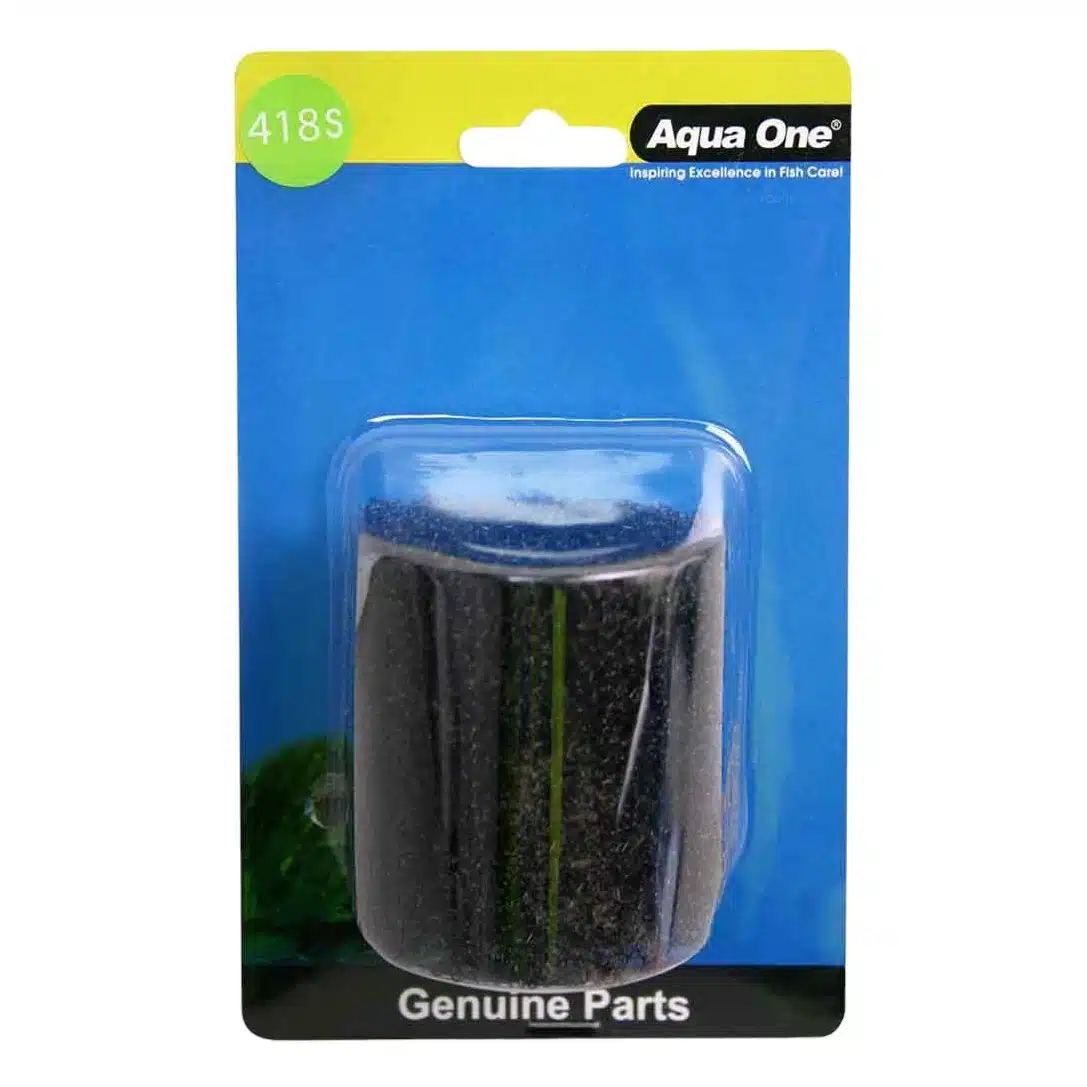
Aqua One Moray 700 and 700L Filter Sponges 418S, 2 Pack
| Brand | |
|---|---|
| Fits | Aqua One Moray 700 and Moray 700L, including compatible AquaLED 100 and OakStyle 110 units with that filter |
| Media | 30 ppi black filter sponge |
Two Aqua One 418S 30 PPI filter sponges for the Moray 700 and 700L internal filters.
£8.11 (inc VAT)
Two 30 PPI sponges for the larger Moray 700 family
Renew the mechanical foam in a compatible Aqua One Moray 700 or 700L with the 418S twin pack. Both pads use 30 PPI foam and are shaped for the matching holders. Check the model, then change the foam without moving the separate carbon and ceramic cartridges if those stages are still sound.
Confirm the filter and spare code
Match 418S on the old part or packaging with the filter label and the actual tray or holder. Match the exact Moray 700/700L configuration. Check the filter body and old media before paying for a replacement.
Identify the correct generation and position
The 700 and 700L share the model-specific Moray media articles. The L designation changes the body configuration and gives an extra chamber in the standard modular assembly. Confirm how many modules are on your actual unit because the filter can be reconfigured. A retail pack quantity is independent of the number of modules. Verify 418S and the suffix on the part before ordering. The 320 and 320L have a different fit for these media stages even when the part serves the same type of filtration.
Choose the media for the stage that needs service
The sponge catches suspended solid material. Its usable shape matters as much as the grade. Check the edges and the inside of the media housing before taking out the original. It should sit where incoming water has to pass through it. If the edges have pulled away or torn off, the easiest route may be around the foam. Look at the fit as well as how much material the removed pad carries. Established sponge also has a biological role, so follow the maker’s maintenance instructions for when to rinse it and when to replace it.
Check seating and circulation
Before closing the holder, look at the edges and the area around the intake. Confirm the carrier can be seated without moving another component. If a part seems to project unusually far, check which way the new and old parts face and whether the spare part number matches each time. Check the return when you restart. If it has weakened, look at the intake and media fit before changing another stage. A factory-matched spare will still depend on correct seating and the rest of the filter being clear.
Keep a record for the next service
Take note of which filter module you have opened and which direction it faces. If you keep the standard and L units in different tanks, mark the equipment model beside the spare code even when the replacement is listed for both. Write down which sponge or cartridge has been replaced. Keeping a record helps you leave the still-mature filter stages in use when another part is changed. Preserve the order and clips as shown in the model instructions, and retain any unused spare in its clean original packaging.
Distinguish the related spares
The Moray media positions are modular. Keep the sponge, carbon and ceramic names separate. A C suffix in this group is used for both the carbon cartridge and the separate ceramic cartridge with a different number. Check that the spare has the correct contents as well as the same filter size. For instance 418C is the carbon cartridge and 419C is the ceramic cartridge. Use the diagram for the modules on your filter rather than the order in which replacements happen to be shown in a shop.
Check the pump housing and the media chamber
Switch off and disconnect the internal filter before you lift it or open its media housing, and follow the manual for the specific model. Have a small container ready so the mature media stays wet if it needs to come out. Identify the chamber, cage or filter module that actually holds the part and take a note of its position. Compare the fresh piece with the old one and leave any other established media in place. Reassemble the housing and confirm it is fully seated before reconnecting.
Decide when the stage needs service
Rinse foam when it impedes flow or has a build-up of debris. Follow the manufacturer’s maintenance instructions, using aquarium water removed for a water change when rinsing established biological media. Squeeze gently enough to release loose material without tearing the pores. Compare the result with the original shape. An old sponge that stays compressed, tears at the edge or no longer returns to its shape after rinsing can allow water to slip around it. Fit a fresh pad when it no longer seals the intended opening, and preserve mature media elsewhere in the filter while it settles in.
Check the return after service
Return the unit to the operating position and immerse or refill the relevant parts as the instructions require before you switch it back on. Check for steady circulation and suitable return direction. If the flow has fallen, look at the media seating and the intake before assuming the replacement has failed. Keep the replacement code handy for the next service and retain either the label or a clear photograph of the old and new parts side by side.
Useful checks include whether the pad seats flush, whether the filter housing closes easily and whether debris is passing around an edge. The condition of the foam matters as much as its surface colour. A discoloured pad may still be usable after rinsing, while a distorted clean-looking pad may need replacing. Record which material was serviced and leave the other stable biological stages in place where the manual allows.
Compare parts for this filter
Aqua One 418C carbon cartridge A different media type for the same Moray models. Aqua One 419C ceramic cartridge A different media type for the same Moray models.
Technical overview
| Feature | Details |
|---|---|
| Article | 25418S (418S) |
| Fits | Moray 700 and 700L internal filters |
| Supplied | Two 30 PPI pads |
| Purpose | Mechanical foam stage |
| Grade or format | 30 PPI sponge |
| Position | The designated mechanical sponge position in the removable Moray 700 or 700L module. |
Frequently asked questions
What comes in this pack?
Two 30 PPI pads. The quantity describes the specific retail pack. Check how many of these pieces your filter holds at once.
Where does it go?
The designated mechanical sponge position in the removable Moray 700 or 700L module. Use the matching stage stated in the manual for your exact layout.
What should I compare before ordering?
Check the exact article 25418S, the filter marked on the equipment and the original part’s shape and position. Buy each stage for the exact supported filter generation and avoid relying on a matching colour or a similarly named model.



Reviews
There are no reviews yet.