






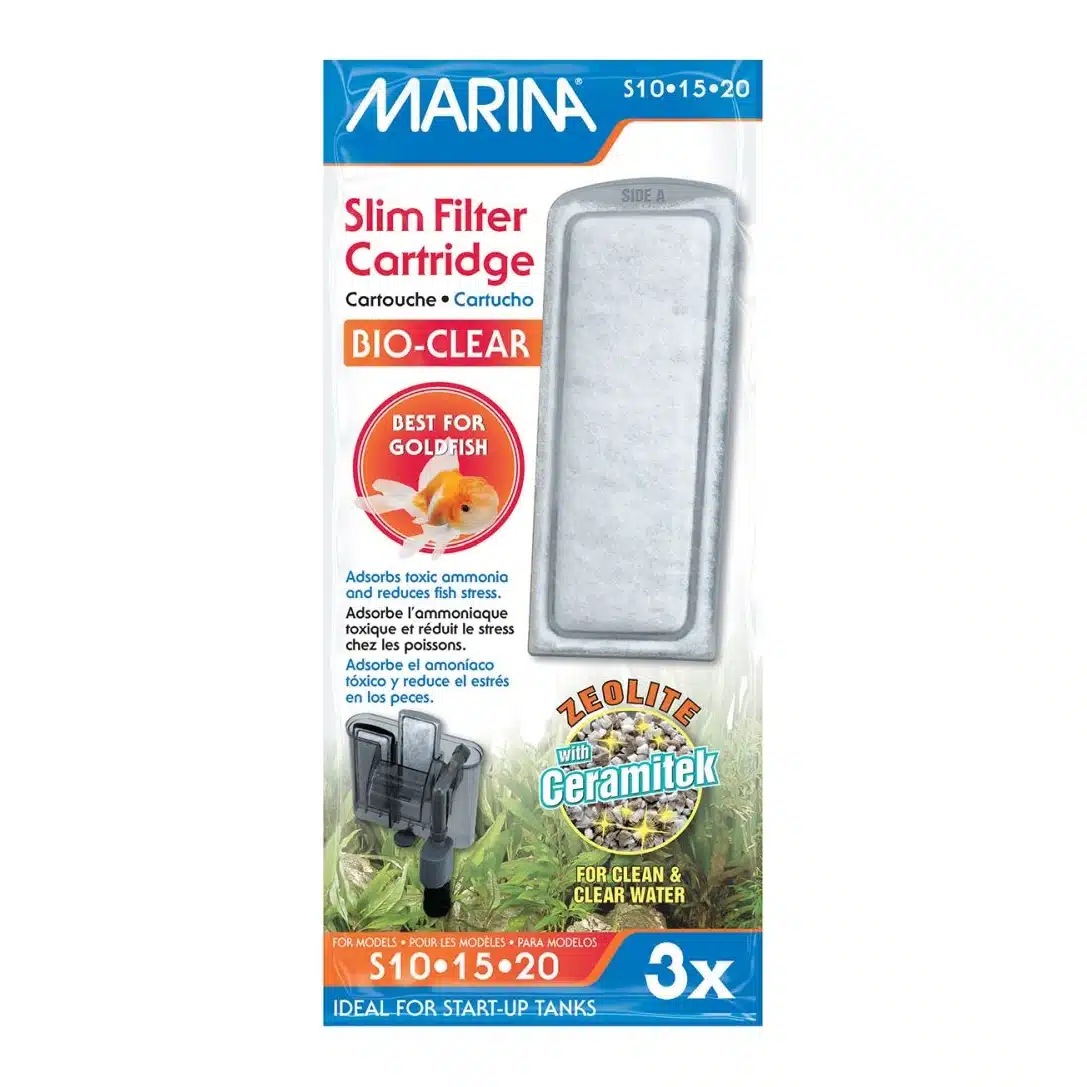
Marina Slim Bio-Clear Zeolite Filter Cartridges 3 Pack
| Brand | |
|---|---|
| Fits | Marina Slim S10, S15 and S20 |
| Pack size | 3 cartridges |
| Media | Zeolite and Ceramitek ceramic media |
Marina Slim Bio-Clear Zeolite Filter Cartridges 3 Pack. Article A293 supplies three Bio-Clear replacement cartridges. See fit and guidance before ordering.
£7.02 (inc VAT)
Marina Slim Bio-Clear Zeolite Filter Cartridges 3 Pack, article A293, is for replacing the Bio-Clear position in Marina Slim S10, S15 and S20 filters. The pack supplies three Bio-Clear replacement cartridges.
Bio-Clear uses zeolite with porous Ceramitek. Hagen describes this grade for the relevant freshwater filter. Check the usual media arrangement and application before replacing the cartridge.
Match the existing filter and media stage
Identify the filter by the model number on the body or its instructions. The shape and fitted chamber matter. The Slim hang on filter, i25 internal unit and original 360 or Splash filter use different cartridges. Check which stage of the setup you need to renew.
Before ordering, compare the cartridge and its media with the exact product article. Copy the arrangement of reusable components in a service note or photograph. When the filter contains established biological media, plan its care separately from the renewal of the replaceable cartridge.
Compare Marina Slim Bio-Carb Filter Cartridges 3 Pack, Marina i25 Filter Cartridges 2 Pack, Marina 360 and Splash Carbon and Zeolite Cartridges 4 Pack. See our aquarium filter media category for the appropriate range.
What comes in the pack
Article A293 supplies three Bio-Clear replacement cartridges. Fits Marina Slim S10, S15 and S20.
Use the original pack and the table below to confirm the variant. Check whether you already have the separate equipment or other parts needed. If a similar product is already installed, compare its label before opening a replacement.
Technical overview
| Detail | Specification |
|---|---|
| Manufacturer article | A293 |
| Pack contents | three Bio-Clear replacement cartridges |
| Application | replacing the Bio-Clear position in Marina Slim S10, S15 and S20 filters |
| Fits | Marina Slim S10, S15 and S20 |
| Media | Zeolite and Ceramitek |
| Pack quantity | 3 |
Set it up and use the correct method
Follow the filter manual to turn equipment off safely. Lift out the original cartridge, note its direction and inspect the edges of the holder. Prepare the replacement as directed. Open or rinse the insert only as the manufacturer specifies. Refit the cover and keep the intended water path clear.
Before the first use, check the intended working position and how you can remove the item afterwards. Prepare any container or equipment separately. Work where you can see what is happening and follow the aquarium’s access and equipment instructions.
Check the full setup during normal operation
After restarting, check the return flow and filter level. If the output is different, inspect the inlet and media arrangement. A blocked intake or incorrect fit can show up as weak circulation. Where the aquarium has had a large maintenance change, check the relevant water parameters.
Open the filter only as instructed and identify the media by the path of the water. Check which layer catches the larger particles and which does a separate chemical or biological job. The correct part can be selected without disturbing reusable media when the part and its role have been identified.
If there is visible overflow or a reduced return, check the holder and position of each part. Use the correct care method to get the normal flow back before deciding whether the media needs an early change. Record what was removed and when, so you can tell which change affected the water readings.
After use and during the next service
Keep the unused cartridges identified and dry. Track the fitted piece and installation date so you can replace the correct part at the next service. Use a suitable option from our aquarium water test kits range if water readings need checking. Choose the new media from the actual filter instructions rather than by appearance alone.
Write down what you used and when. Keep the original article with your aquarium notes. Inspect the equipment or accessory at the next normal care visit and check the water when required. Use the same checks before changing a routine or ordering its replacement.
Compare the relevant options in our aquarium filter media. If the aquarium size or equipment has changed, measure the new working area and choose from the current fit and size details. A comparison with the previous tank is easier if you have kept its model and article number with the equipment.
A practical check for this aquarium setup
For a filter recently purchased second hand, identify which cartridge holder is actually fitted. The filter model name is useful, and an earlier owner may have moved or changed pieces. Check the original instruction diagram and compare the shape of the fitted cartridge. That evidence is more reliable than choosing by a similar pack colour.
Clean around the holder carefully during normal servicing. If dirt has collected at the slot, correct it before fitting a new piece. Install the cartridge in its intended orientation and inspect both sides of its seating. Slowly return the filter to its operating state and see whether water follows the usual route.
Distinguish filter performance from the age of a cartridge. A pump intake or impeller can need its own service. A change in feeding or the number of fish can also make the current media collect waste faster. Review the filter’s flow and aquarium tests as well as the cartridge replacement advice.
Put the spare pack where the filter details will be easy to find. A label with the aquarium model and capacity makes it simpler to order the next set. If you have both Slim and i25 filters, label the two sets separately and compare the code on the box before starting work.
Questions about the exact product
Which article is supplied?
Article A293 supplies three Bio-Clear replacement cartridges.
How can I tell which Marina filter uses it?
Read the installed filter name, compare the original cartridge and use the exact article fit above. The pack sizes and media formulations are separate decisions.
What should I check before ordering?
Confirm whether you need it for replacing the Bio-Clear position in Marina Slim S10, S15 and S20 filters. Use the table to check the variant and pack details.
How do I keep a record of what fits?
Keep the original A293 code with the equipment label and your measurements. It is useful when deciding what to buy for future servicing.



Reviews
There are no reviews yet.