






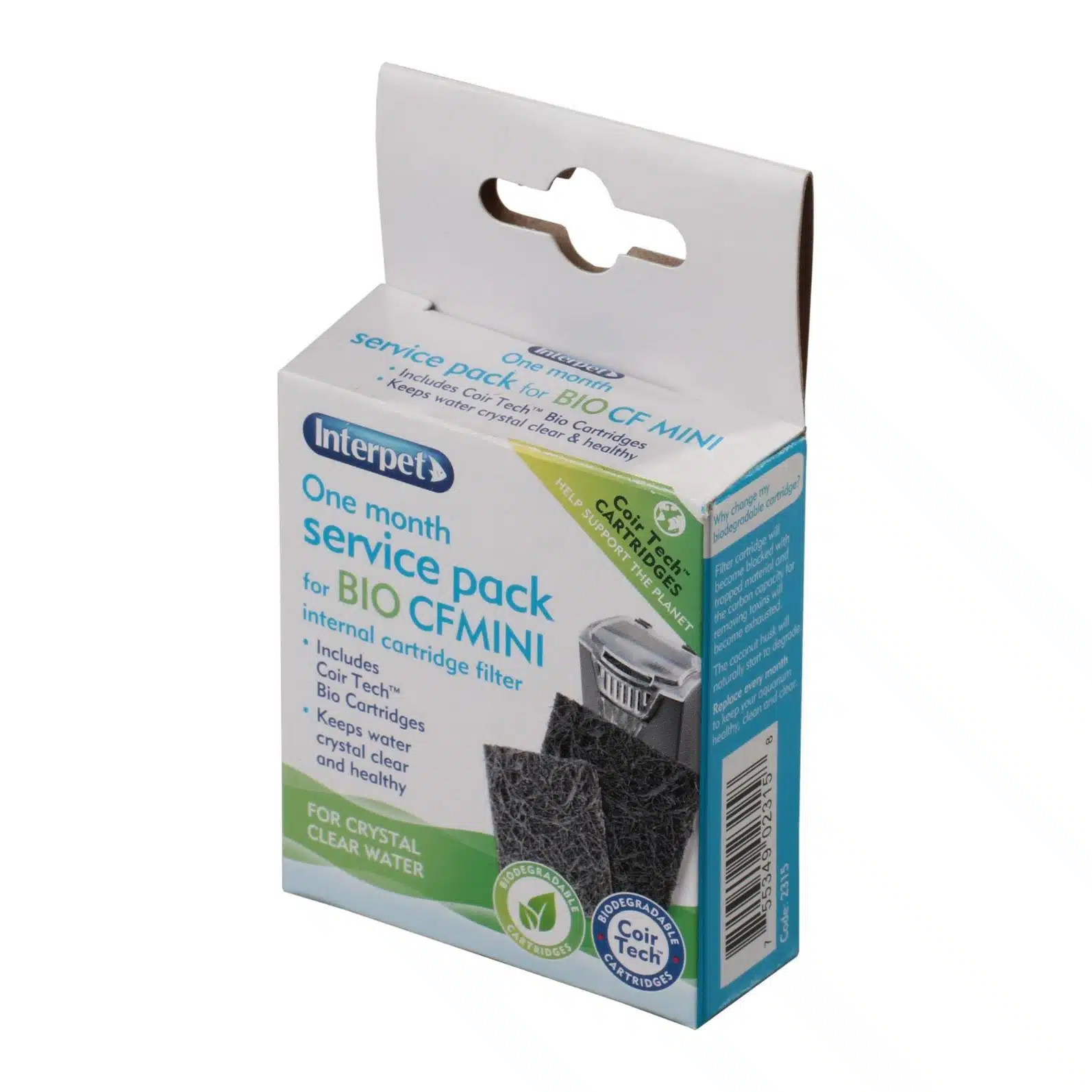
Interpet Bio-CF Mini One Month Filter Service Pack
| Brand | |
|---|---|
| Fits | Interpet Bio-CF Mini internal cartridge filter |
| Service pack | One month |
One front and one back Interpet Coir Tech cartridge for the Bio-CF Mini.
£6.58 (inc VAT)
A single cartridge change for a small Bio-CF Mini
Use the Interpet one month Bio-CF Mini pack when you need one front and one back cartridge. The Coir Tech inserts fit their matching slots in the compact Mini filter. Check the two shapes before changing them so you can refit each in its proper place.
Interpet lists one front and one back Coir Tech cartridge for 2315. Use a front and back pair per scheduled change. The manufacturer’s compatible older CF version must be the same size. Its guidance shows both direct fitting and a separate optional conversion clip.
Choose the fitting for your existing model
The front and back cartridges are a pair for the named Bio-CF model. They use Interpet’s coconut coir cartridge construction. Work out how many scheduled services the box covers. The three month box supplies three pairs and the one month box supplies one pair. Use a scheduled pair in the filter at a time.
Compare Interpet Bio-CF Mini 3 Month Coir Tech Service Pack, Interpet CPF1 Corner Filter 3 Month Service Pack. Our aquarium filter media range includes the other exact model parts and maintenance options. Use the manufacturer’s reference and the fitted components when choosing between similar looking packs.
The name on the equipment is more useful than the advertised tank volume or the colour of an older part. Check whether a tray, bracket or pump was previously changed. Keep the article from the original instructions with the label on the unit you use.
What comes in the pack
The pack supplies one front and one back Coir Tech cartridge under article 2315. Compare this list with your particular maintenance task. The original equipment instructions show which components must be installed to make the assembly function. Plan for separately supplied pieces you also need.
Keep the new parts identifiable as you remove the original ones. Check the material and outline alongside the existing assembly and set apart any parts you can continue to use.
Technical overview
| Detail | Specification |
|---|---|
| Manufacturer article | 2315 |
| Compatible model | Bio-CF Mini |
| Fitting position | matched front and back Bio-CF Mini cartridge slots |
| Pack contents | one front and one back Coir Tech cartridge |
Prepare and fit the replacement
Follow the manufacturer instructions for turning off the appropriate equipment and isolating it safely. Make room to see the part and its surrounding fittings. Keep any water away from dry electrical points and place smaller wet pieces on a safe working surface.
Check the fitted holder and support before opening the filter. Follow the Interpet directions for the cartridge orientation and any clips. Read the installation method for an earlier CF, as retaining a sound original support can affect what needs to be changed. Keep the reusable biological components installed as the handbook describes.
Look at how the original fit affected maintenance access. Return all fixtures to their designed positions before refitting. Keeping the cover or cabinet accessible for the first check lets you see the result and confirm the arrangement.
Maintain the rest of the system
If you are switching an existing filter to Coir Tech, check the old cartridge arrangement first. Identify both sides and look at the positions used in the current instructions. Keep mature biological media in place during the service. The cartridge pair has a separate renewal interval. If there is a temporary tint after fitting new coir, use normal water testing and observation to assess it. Keep the filter working normally and the current aquarium care routine in place. Keep remaining cartridges dry and in their labelled pack. When it is time to order again, compare the exact Bio-CF model code rather than selecting solely on the size of the aquarium.
Keep your aquarium water testing and maintenance routine in place while changing a filter part. Check the exact model before choosing from our internal aquarium filters. The original housing and any reusable biological media or brackets can often stay in service when the product is only replacing one part of the installation.
Where the system shows a change in flow after servicing, check the whole route from the intake to the final return or air device. A partial obstruction has to be identified at its actual location. Make a note of what you changed and what you plan to inspect at the next routine check.
Plan your next parts check
Check the actual cartridge frame when deciding whether an optional clip is needed. Interpet’s instructions distinguish the older arrangement and the way a new coir cartridge can clip into the conversion holder. Make sure the old and new frames do not get mixed together on the work surface. If you use several sizes, keep the remaining pairs clearly labelled after fitting the first. Write down the scheduled month and note any change in water colour or flow. Compare your observations after the new cartridge has been used in the ordinary feeding and maintenance routine.
For a unit still using its original assembly, keep the 2315 reference with the manual for Bio-CF Mini. Photograph a part in its normal position during servicing if there are several stages that look alike. It is easier to choose an adjacent size or second maintenance pack when you know which pieces fit the exact part of the equipment and whether you will replace them together.
After refitting use the correct start procedure. Observe how the system behaves at its normal operating level and after putting the access covers back. Keep the parts that will be reused or fitted later in the original box. Check the placement before changing another part of the setup.
Questions about this Interpet replacement
Which equipment is it for?
This is Interpet article 2315, for Bio-CF Mini. Read the model and compare the installed position.
How many parts come in the pack?
The pack provides one front and one back Coir Tech cartridge.
Do I need the conversion kit for an older CF?
Interpet describes a direct fit for the matching previous CF size. Check the manufacturer’s installation instructions. The clip and conversion arrangement is a separate option.
What should I check when the system restarts?
Follow the model’s own instructions and check the repaired or serviced position during normal operation. Keep access clear for the first observations.






Reviews
There are no reviews yet.